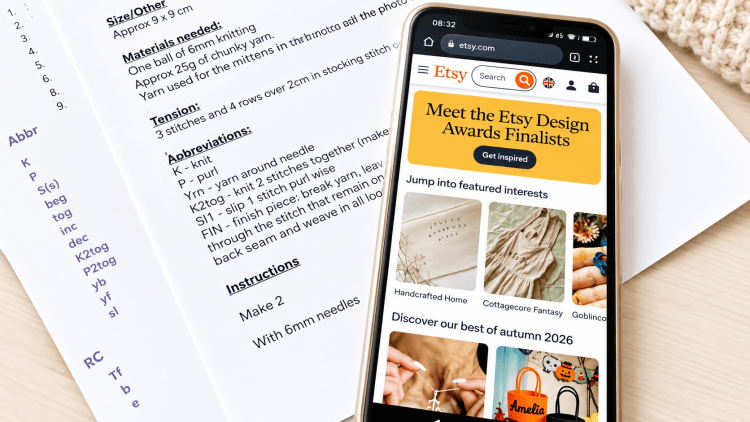
If you’re a knitter, crocheter, or any kind of crafter, chances are you’ve bought — or at least considered buying — an instant download pattern. Etsy has become most crafters’ go-to marketplace for instant download PDF patterns, largely thanks to the sheer abundance of designs available, from vintage-inspired classics to brand-new releases from independent designers. You can print out the patterns or read from the screen of your device, no waiting for mail, just purchase, download and start crafting!
The instant download system on Etsy generally works brilliantly, letting you purchase a pattern and start crafting within minutes. But every now and then, something goes wrong, and you find yourself staring at an error message instead of your new pattern. As someone who’s run an instant download pattern shop on Etsy for almost twenty years, I’ve seen these hiccups come up again and again — and they’re almost always the same handful of issues. None of it is your fault; it’s simply how the system works. Here’s how to spot each problem and sort it out quickly.
How Etsy Instant Downloads Work
Etsy is a marketplace made up of thousands of individual sellers, and normally when you buy something, you’re dealing directly with that seller — they pack it, they ship it, they handle the transaction from their end. Instant downloads work a little differently.
When it comes to digital items like PDF knitting patterns, the seller uploads the file into Etsy’s own system — think of it as feeding it into Etsy’s back-end library. When you place an order, it’s Etsy itself, not the individual seller, that sends you the confirmation email with a link to your download page.
Ninety-nine percent of the time, this works perfectly: you pay, the email lands seconds later, and you’re casting on within minutes. But every so often, something in that chain breaks down. Let’s look at the most common reasons why — and how to fix each one.
Reason One: Check Your Spam Folder First
This is the simplest fix on the list, and it catches out more people than you’d think. When you buy an instant download, Etsy sends you an email with a link to your file. Sometimes, that email lands in your spam or junk folder instead of your main inbox, especially if it’s the first time you’ve bought from Etsy or from that particular seller.
Before you assume anything’s gone wrong, have a quick look in spam. If it’s there, mark it as “not spam” so future Etsy emails land where they should.
Reason Two: Signing In With Apple
One of the biggest culprits behind failed downloads is signing into Etsy using “Sign in with Apple.” On the surface it looks like a quick, secure shortcut — but it can quietly break your download email before it ever reaches you.
Here’s why: when you sign in with Apple, you’re given the option to hide your real email address. If that option was switched on — and on some devices, it’s the default — Apple creates a private, randomly generated relay address ending in @privaterelay.appleid.com, unique to that one app or website. Any email sent to that address is supposed to forward straight to your real inbox behind the scenes.
The trouble is, this relay only works reliably when the sender has properly registered their systems with Apple to send through it. Etsy sends an enormous volume of automated emails, and if a message to a relay address doesn’t pass Apple’s checks, it can simply bounce or vanish — never reaching your real inbox at all. So neither Etsy nor the seller ever gets your genuine email address; they only see a string of random characters. That means your download email can end up sent into a void.
How to fix it: If you’ve bought a pattern and never received the download email, message the seller directly through Etsy and give them your real email address — they can then resend the file manually. But the better long-term fix is to avoid the problem entirely: don’t sign in with Apple on Etsy. Instead, create or sign into your Etsy account using your own email address and a password.
Reason Three: Trying to Download Through the Etsy App
While you can absolutely buy instant download patterns through Etsy’s dedicated app, you can’t actually download them there. To get your file, you need to use a web browser instead — an internet browsing app like Safari or Chrome, rather than the Etsy app itself.
This trips a lot of people up, so let’s be clear about what it doesn’t mean: you don’t need a computer. If you bought your pattern on the Etsy app on your phone, you can still download it straight to that same phone — you just need to do it through your phone’s browser rather than the app. Open Safari (or whichever browser you use), log into your Etsy account there, and your pattern will be ready to download. Alternatively, open the confirmation email on your phone and tap the download link — this will take you out of the app and into your browser automatically, which is exactly what you want.
Personally, I think it’s about time Etsy allowed you to download on the same platform you bought from, but for now, that’s simply not how it works. So in short: buy on the app if you like, but download in the browser.
Reason Four: Not Having (or Not Using) an Etsy Account
Every instant download you buy on Etsy is automatically saved to your Etsy account, under Purchases in your profile. This acts as a permanent library of everything you’ve bought, and you can go back and re-download your patterns at any time — though, as above, this only works in a browser, not the app.
This is one of the most overlooked reasons for keeping downloads accessible long-term, and it’s also where checking out as a guest can cause problems. It’s entirely possible to buy a pattern without creating an Etsy account, but when you do, nothing gets saved to a purchase library, because there isn’t one to save it to. Most of the time this is fine, but every so often, something goes wrong in the process for guest checkouts specifically, and the download email simply doesn’t arrive.
If this happens to you, the fastest fix is to message the individual seller directly — not Etsy customer service — and give them your email address so they can send the file to you personally. Speaking as a seller myself, this really is the quickest route: if someone sends me their email address, I can usually resend a pattern from my phone within minutes. Without it, I have to sit down at a computer to sort it out, which isn’t always possible straight away.
Reason Five: A Corrupted or Faulty File
Occasionally — and I do mean occasionally — the file itself is the problem. You might download your pattern only to find part of it missing, or the pages appear as solid black rather than showing the pattern. In almost twenty years of selling instant downloads on Etsy, I’ve personally seen this happen only twice, so it’s genuinely rare. If it does happen to you, contact the individual seller directly and ask them to email you a fresh copy of the PDF — they’ll be able to sort it out in moments.
In Conclusion
Etsy really is a wonderful platform, offering a huge wealth of instant download PDF knitting patterns, crochet patterns, sewing patterns, cross stitch patterns, SVGs, and pretty much anything else you could need for your crafting projects. At least 95% of the time, there are no issues at all — downloads are quick, simple, convenient, and often very affordable.
That said, I’ve noticed a handful of recurring problems crop up whenever a customer writes in to say they can’t access their instant download, and I hope this article has helped you understand — and solve — the most common ones. If all else fails, remember that sellers genuinely want to help and are usually only too happy to sort things out for you, so don’t hesitate to get in touch.
If you’re a knitter with a fondness for vintage knitting patterns, it’s also worth taking a look at www.vintageknitting.co.uk — a growing website where your download is available the moment you’ve purchased, with none of the extra steps Etsy sometimes involves, and at very affordable prices. Perhaps more sites like this will appear in future, sidestepping some of these Etsy quirks altogether — but for now, Etsy remains the first port of call for most of us.


